All About the GGPoker Mobile App
The poker room that fits in your pocket. Here’s how to do it right.
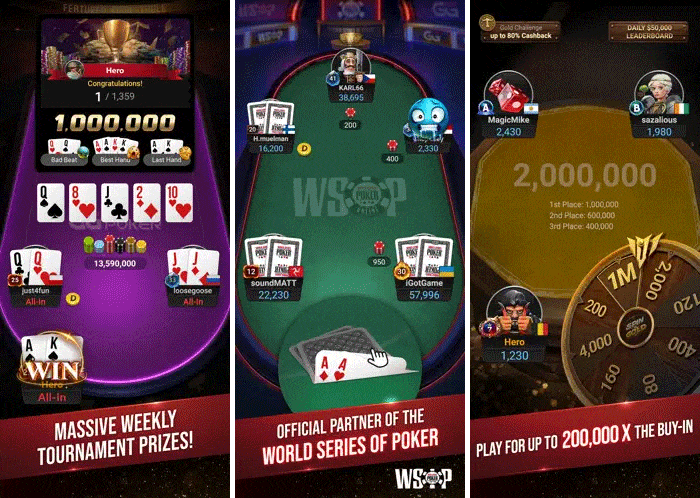
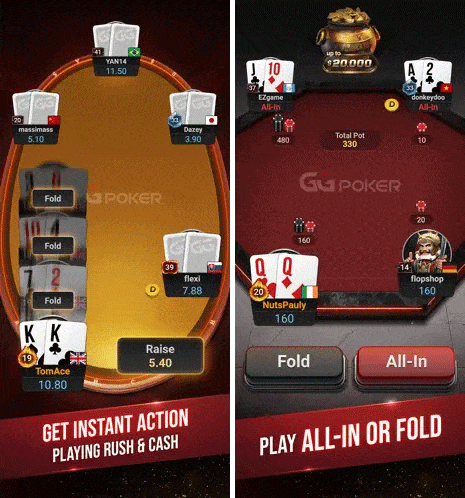
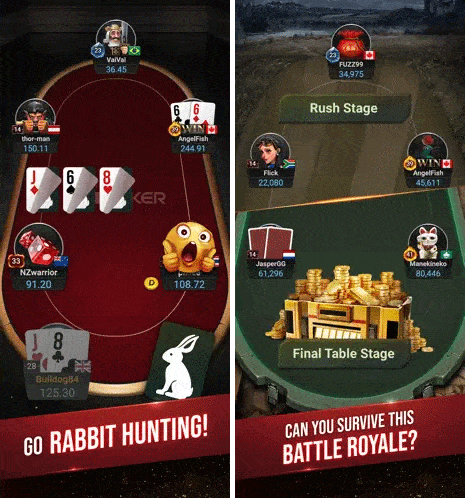
The GGPoker mobile app puts the full poker experience on your phone. Cash games, tournaments, Rush & Cash, Spin & Gold—everything available on your desktop runs on iOS and Android. However, playing poker on a small screen does present some unique challenges.
This guide covers everything you need to know to play effectively on mobile, from initial setup to advanced settings that improve your edge.
Getting Started: Download and Installation
The GGPoker app is available through official app stores:
- iOS: Download from the Apple App Store
- Android: Download from Google Play Store or directly from GGPoker.com
The app requires a stable internet connection. WiFi is ideal, but modern 4G/5G connections work well for most gameplay. Avoid playing on spotty connections—disconnecting mid-hand can be frustrating and cost you pots.
Optimizing Your Settings
Before playing your first hand, configure these settings for the best experience:
Display Settings
- Enable auto-rotate lock: Keep your phone in landscape mode to maximize your table visibility
- Increase screen brightness: You need to see card suits clearly, especially in sunlight
- Disable auto-sleep: Prevent your phone from sleeping during long hands or decisions
In-App Settings
- Four-color deck: Enable this immediately. Distinguishing suits on a small screen is much easier with four colors
- Bet slider sensitivity: Adjust to your preference. Too sensitive can lead to mis-sizing, too slow wastes time
- Sound effects: Enable action sounds so you know when it’s your turn, even if you glance away
- Notifications: Allow tournament notifications so you don’t miss late registration or break endings
Table Appearance
GGPoker offers a variety of customization options for table layouts. Choose settings that maximize clarity:
- Simple, high-contrast table felt colors
- Clear, readable card faces
- Minimal visual distractions
Save the flashy avatars and animations for desktop. On mobile, clarity trumps style.

Mastering Touch Controls
Mobile poker lives and dies by touch accuracy. A misclick can cost you a buy-in.
Betting Controls
GGPoker’s mobile interface offers multiple ways to size your bets:
- Preset buttons: Quick access to common sizes (1/3 pot, 1/2 pot, 3/4 pot, pot)
- Slider: Drag to set custom amounts
- Manual input: Tap the bet amount to type a specific number
For speed, use preset buttons when possible. For precision (especially in tournaments where exact sizing matters), use manual input. The slider works but requires careful finger placement.
Avoid Misclicks
Common mobile mistakes and how to prevent them:
- Folding instead of checking: Slow down. Confirm the action before tapping.
- Calling when meaning to raise: Look at which button you’re hitting.
- Incorrect bet sizes: Always verify the amount in the bet box before confirming.
- Accidentally going all-in: Be careful with the slider—it’s easy to drag to max.
GGPoker has confirmation options for large bets and all-ins. Enable these in the settings menu. The extra tap is worth it if it means preventing a catastrophic error.
Single-Tabling Strategy
On mobile, single-tabling is the norm. This changes your approach compared to desktop multi-tablers.
Advantages of Mobile Single-Tabling
- Full attention on one table: You can focus entirely on reads and dynamics
- Better hand-by-hand analysis: More dedicated time to think through each decision
- Reduced auto-pilot: Less temptation to mindlessly click
Disadvantages to Manage
- Lower volume: You play fewer hands per hour than multi-tablers
- Impatience: Waiting for good hands feels longer when you can’t switch tables
- Boredom mistakes: Playing too loose because you’re itching for action
Combat impatience by accepting that mobile sessions will involve lots of folding. Use the downtime to observe opponents rather than checking your other apps.
Managing Distractions
Your phone is a distraction machine. Notifications, messages, and app alerts constantly compete for attention. When you are playing poker, to reduce these distractions, try the following:
Do Not Disturb Mode
Enable Do Not Disturb during sessions. Configure it to allow only critical contacts if needed. A text notification at the wrong moment can cost you a pot.
Close Other Apps
Background apps consume memory and can cause the poker client to lag. Before important sessions, close everything else. On iPhone, swipe up to open the app switcher, then clear it. On Android, use the recent apps button to close background processes.
Dedicated Poker Time
Don’t play while doing other things. Walking, watching TV, or having conversations all split your attention. Mobile poker should get the same focus as desktop poker or live poker, just in any location you want.
Best Situations for Mobile Play
Mobile poker isn’t always appropriate. Here’s when it works well:
Good for Mobile
- Lower stakes cash games: Less money at risk if connectivity issues arise
- Turbo and hyper-turbo SNGs: Short sessions fit mobile well
- Spin & Gold: Quick format, simple decisions
- Satellite tournaments: Lower variance, less demanding
- Late stages of tournaments you’ve already committed to: Finish from anywhere
Less Ideal for Mobile
- High-stakes cash games: The money demands full attention and a stable connection
- Deep-stacked tournament early stages: Complex postflop play suffers on small screens
- Multi-tabling: Possible but compromised on mobile
- Sessions requiring hand history review: PokerCraft is better on desktop
Battery and Connectivity Tips
Nothing ends a session faster than a dead phone or lost connection.
Battery Management
- Start sessions with a full charge or have a charger handy
- Reduce screen brightness if the battery is low
- Disable unused features (Bluetooth, location services) during play
- Consider a portable battery pack for extended sessions
Connection Reliability
- WiFi is preferred when available
- If using cellular, ensure a strong signal before registering for tournaments
- Avoid playing during travel through areas with poor coverage
- The app has disconnect protection, but don’t rely on it—timeouts still happen
Using Mobile-Specific Features
The GGPoker mobile app includes features designed for touch interfaces:
Quick Actions
Swipe gestures and tap shortcuts speed up common actions. Learn these for faster play:
- Quick fold options in Rush & Cash
- Pre-action buttons to act before your turn
- Fast bet size selection
Portrait vs. Landscape
While landscape shows more table information, portrait mode can work for single-tabling. Experiment with both and choose what feels natural. Most serious players prefer landscape mode for the full view.
Hand History and Stats on Mobile
The mobile app includes access to PokerCraft, though the experience is more limited than on desktop. You can still access the following:
- Review recent hand histories
- Check basic statistics
- View session results
For deep analysis and database review, use the desktop client. But mobile PokerCraft is still useful for quick session reviews or checking on a specific hand you remember.
Security on Mobile
Your poker bankroll lives on your phone. Protect it:
- Use strong device passwords: Fingerprint or Face ID adds convenience and security
- Enable two-factor authentication: Protect your GGPoker account
- Don’t play on public WiFi: Use cellular data instead if public WiFi is your only option
- Keep the app updated: Updates include security patches
- Log out when not playing: Especially if others have access to your device
Key Takeaways
- Configure settings first: Four-color deck, bet confirmations, and notifications matter
- Master touch controls: Misclicks cost money—slow down and verify actions
- Embrace single-tabling: Focus is your mobile advantage
- Eliminate distractions: Do Not Disturb mode is essential
- Know when mobile fits: Lower stakes and shorter formats work best
- Protect battery and connection: A dead phone ends your session immediately
Start Playing on Mobile
The GGPoker mobile app brings real poker to wherever you are. Waiting for an appointment, commuting on the train, relaxing at a coffee shop—these become opportunities to play.
Download the app, configure your settings properly, and start with lower stakes to get comfortable with the interface. Once mobile play feels natural, you’ll have access to GGPoker’s games anywhere you have your phone.
The poker room is always open. Now it’s always with you.
About the Author: Maury Orton is a poker writer and editor contributing to GGPoker. He focuses on clear, reliable explanations of the game, drawing on years of experience in online poker media and digital publishing.