
Account Security
Every security feature you need to keep your bankroll safe
Your GGPoker account is more than your entry to a poker site. It’s your bankroll, your tournament history, your entire online poker identity. And just like you wouldn’t leave a stack of cash sitting unattended at a live poker table, you shouldn’t leave your online account exposed to threats.
The good news? GGPoker provides a robust set of security tools designed to protect your account from unauthorized access. The even better news? Setting them up takes less time than playing a single hand of poker. Here’s how to lock down your account properly.
Why Account Security Matters in Online Poker
Online poker accounts are high-value targets. Your account holds real money, personal information, and payment details, making it attractive to hackers and scammers. A compromised account can lead to stolen funds, unauthorized withdrawals, and a lengthy recovery process.
The difference between a secure account and a vulnerable one often comes down to a few simple settings that most players overlook. Whether you’re grinding microstakes or playing high rollers, these protections apply equally. Players who understand the differences between live and online poker know that digital security is one of the key responsibilities when playing from your computer or phone.
Two-Factor Authentication (2FA)
Two-factor authentication is the single most important security feature you can enable on your GGPoker account. It adds a second layer of verification beyond your password, making it exponentially harder for anyone to access your account — even if they somehow obtain your login credentials.
How GGPoker 2FA Works
GGPoker uses Google Authenticator (or any compatible TOTP app like Authy or Microsoft Authenticator) for two-factor authentication. Once enabled, every login requires both your password and a time-based, six-digit code generated by the authenticator app on your phone.
These codes refresh every 30 seconds, so even if someone intercepts a code, it becomes useless almost immediately. It’s the same technology used by banks, email providers, and crypto exchanges worldwide.
If preferred, you can also receive your two-factor authentication code through email, SMS, and Telegram, although those methods tend to be a bit slower.
How to Enable 2FA
- Open the GGPoker client on desktop or mobile.
- Navigate to My Page / Profile.
- From the options on the left, click GGPass Account
- Scroll down to Account Security settings.
- Select Account 2FA Security.
- Choose your preferred verification method.
- Enter the six-digit verification code generated by the app to confirm setup.
- Save your backup/recovery codes — store these somewhere safe and offline. You’ll need them if you lose access to your authenticator device.
The entire process takes under two minutes. That’s a tiny investment for a massive upgrade in security.
How to Disable 2FA
If you need to disable two-factor authentication (for example, when switching phones), go to the same Security settings section. You’ll need to enter a current authenticator code to confirm the change. If you’ve lost access to your authenticator app entirely, contact GGPoker support — they’ll verify your identity and help you regain access.

Email Verification and Login Alerts
Beyond 2FA, GGPoker has built-in email verification that adds another security checkpoint, especially when logging in from unfamiliar devices or locations.
How Email Verification Works
When GGPoker detects a login attempt from a new device or unusual IP address, the system automatically sends a notification to your selected method.
This verification is typically enabled by default, but you should make sure your registered email address is current and accessible. If you lose access to your email account, you’ve lost a critical piece of your security chain.
Login Alert Notifications
GGPoker sends email notifications for important account activities, including:
- Successful logins from new devices or locations
- Password changes
- Security setting modifications
- Withdrawal requests you can set a Fund Password for an extra layer of protection
Pay attention to these emails. If you receive a login notification you don’t recognize, take immediate action — change your password and contact support right away.
Password Security Best Practices
Your password is the front door to your account. A weak password is like leaving that door wide open. Among the essential tools for poker success, a strong password might not seem glamorous, but it’s foundational.
Creating a Strong Password
GGPoker requires a minimum password length (typically 8 characters), but you should go well beyond the minimum:
- Use at least 12 characters — longer is always better.
- Mix character types — uppercase, lowercase, numbers, and special characters.
- Avoid obvious choices — no birthdays, pet names, “poker123,” or anything guessable from your social media.
- Never reuse passwords — your GGPoker password should be unique to GGPoker.
- Use a password manager — tools like 1Password, Bitwarden, or LastPass generate and store complex passwords so you don’t have to remember them.
Fund Password
GGPoker also gives you the option to set up a fund password. This is an extra layer of security that will help protect your bankroll by requiring a secondary password anytime there is a withdrawal or transfer request. This password should be different than your login password.
To set up a Fund Password, go to My Page / Profile > GGPass Account. From there, scroll down to the section labeled Account Security and find the option Fund Password. When you enable this setting, you will be prompted to enter your new password twice before clicking Enable. Once that is complete, your fund password is set up and ready to protect your wallet.
How to Change Your Password
Already logged in? Go to My Page / Profile > GGPass Account > Login Password. Enter your current password, then your new password twice for confirmation. If you’re doing this because you suspect unauthorized access, also enable 2FA if you haven’t already.
Forgot Your Password?
Click “Forgot Password” on the login screen, enter your registered email, and follow the reset link sent to your inbox. If the email doesn’t arrive within a few minutes, check your spam folder and make sure you’re entering the correct email address.
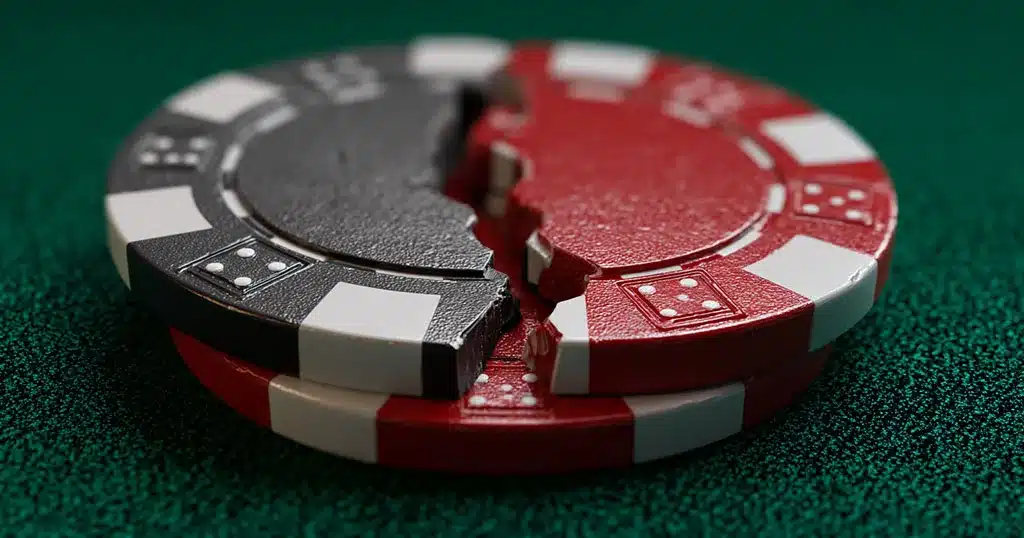
What to Do If Your Account Is Compromised
Discovering unauthorized access to your account is stressful, but acting quickly can minimize the damage. Here’s your emergency action plan.
Immediate Steps
- Change your GGPoker password immediately — use a completely new, strong password.
- Enable 2FA if it isn’t already active.
- Change your email password — if someone accessed your poker account, they may also have access to your email.
- Contact GGPoker support — use the in-app live chat or email. Report the unauthorized access and request a temporary account freeze if necessary.
- Review your transaction history — check for unauthorized deposits, withdrawals, or player transfers.
What GGPoker Support Will Do
Once you report a compromised account, GGPoker’s security team will:
- Verify your identity (they may request ID documents).
- Investigate login history and IP addresses associated with your account.
- Temporarily lock your account to prevent further unauthorized activity.
- Help you re-secure the account with new credentials and security settings.
The faster you report an issue, the better the chances of full recovery. Don’t wait to see if things “sort themselves out.”
Device and Session Management
GGPoker tracks the devices and locations associated with your account logins. Understanding how this works gives you another layer of control.
Device Recognition
When you log in from a device GGPoker recognizes (one you’ve successfully logged in from before), the process is straightforward. When a new or unrecognized device attempts to log in, additional verification is triggered — this is your email verification code kicking in.
IP Address Monitoring
GGPoker monitors the IP addresses used for logins. If a login attempt comes from an unusual geographic location — say, a country you’ve never played from — the system may trigger additional security checks or send alert emails.
This monitoring also supports GGPoker’s game integrity efforts, helping detect multi-accounting and collusion.
Logging Out Remotely
If you suspect your account is active on a device you don’t control, you can log out of all active sessions through your account settings. This forces re-authentication on every device, immediately cutting off any unauthorized access.
Make it a habit to log out of GGPoker when you’re finished playing, especially on shared or public devices. Staying logged in on a device you don’t fully control is an unnecessary risk.
”
”

Protecting Yourself Against Phishing
Phishing attacks — fake emails or websites designed to steal your login credentials — are among the most common threats to online poker players. Knowing how to spot them keeps you safe.
How to Recognize Phishing Attempts
- Suspicious emails — Messages claiming to be from GGPoker that ask you to “verify your account” or “confirm your password” via a link. Check the sender’s email address carefully — phishing emails often use addresses that look similar but aren’t quite right.
- Fake websites — Sites designed to look like GGPoker’s login page but with slightly different URLs. Always verify you’re on the official GGPoker domain before entering credentials.
- Urgency tactics — Messages creating panic (“Your account will be suspended in 24 hours!”) to pressure you into acting without thinking.
- Requests for sensitive info — GGPoker will never ask for your password, full credit card number, or security codes via email, chat, or social media.
How to Stay Safe
- Always access GGPoker through the official client application or by typing the URL directly — never click links in emails.
- Bookmark the official GGPoker website and use that bookmark for all visits.
- If you receive a suspicious email that appears to be from GGPoker, do not click any links. Forward it to GGPoker support and delete it.
- Keep your operating system and antivirus software up to date.
Security Checklist: Quick Reference
| Security Feature | Status | Priority |
| Two-Factor Authentication (2FA) | Enable via Settings > Security | Critical |
| Strong, unique password | 12+ characters, mixed types | Critical |
| Email verification | Enabled by default — keep email current | High |
| Backup recovery codes saved | Store offline in a secure location | High |
| Login alert emails monitored | Check regularly for unexpected activity | Medium |
| Password manager in use | Generates and stores unique passwords | Recommended |
Building good security habits is part of what makes a successful poker player. Protecting your bankroll off the table is just as important as growing it on the table.
Key Takeaways
- Enable 2FA immediately: It’s the single most effective way to protect your account from unauthorized access.
- Use a strong, unique password: At least 12 characters, never reused from other sites. Use a password manager.
- Monitor your login alerts: Pay attention to email notifications about new logins and account changes.
- Act fast if compromised: Change passwords, enable 2FA, contact support, and review transactions immediately.
- Never share credentials: GGPoker will never ask for your password. Anyone who does is running a scam.
Your Next Move
If you haven’t enabled two-factor authentication yet, do it right now. Seriously — open the GGPoker client, go to Settings, and set it up before your next session. It takes two minutes and could save you from a nightmare scenario down the line.
Once your account is locked down, you can focus on what actually matters: improving your game and growing your bankroll. Security isn’t exciting, but it’s the foundation that lets you play with confidence. Don’t learn this lesson the hard way.
About the Author: Shawn Altbaum has been writing and editing in the online gaming industry since 2007, reporting live from the WSOP Main Event and conducting interviews with professional players. An active poker player, he combines industry expertise with firsthand knowledge of the games he covers. He currently serves as Global Head of Copywriting at NSUS Group, overseeing brand voice and content strategy across GGPoker.